~. So this guide explains how to remap the silly § key to ` on EU/UK keyboards using hidutil and a MacOS Login Item. Easy peasy. This was written on 1st of June 2026.UK/EU keyboards differ slightly from those in North America. For the most part, everything’s the same. But the most annoying difference, in my shockingly humble opinion, is that the backtick/tilde is next to the left-shift, rather than directly under esc. Apparently the Europeans have decided that they must have a section marker within easy reach:
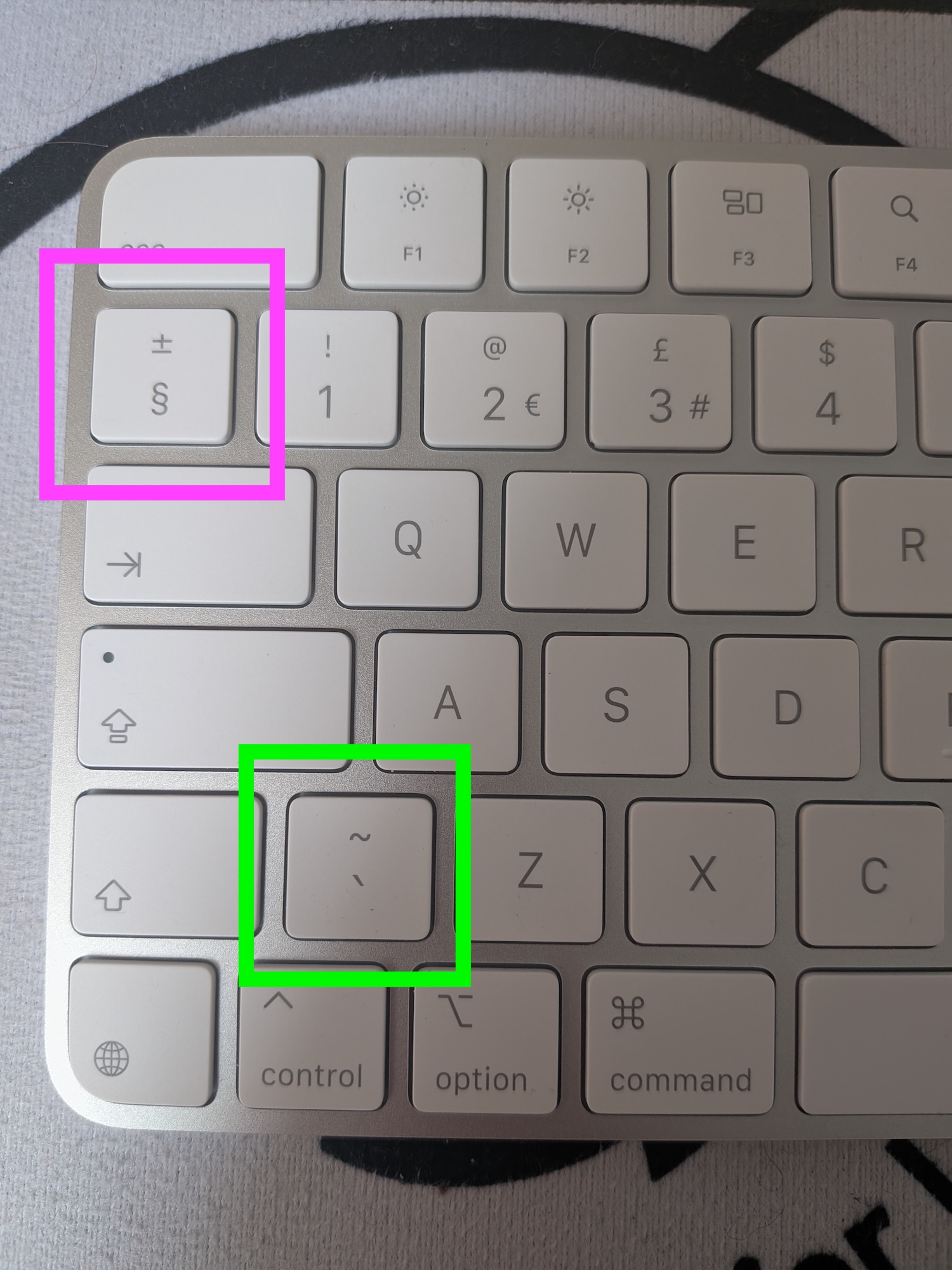
This cannot stand. So to fix is, I’m gonna use hidutil, a built-in MacOS command-line tool for remapping keys.
Steps
First we’ve gotta create a script that’ll run at login.
Make a directory for the script to live in:
mkdir -p ~/Library/ScriptsCreate the following script and save it as
keyremap.sh:#!/bin/bash /usr/bin/hidutil property --matching '{"LocationID":0xe6}' --set '{"UserKeyMapping":[{"HIDKeyboardModifierMappingSrc":0x700000064,"HIDKeyboardModifierMappingDst":0x700000035}]}'Set safe permissions for the new script:
chmod 744 ~/Library/Scripts/keyremap.shSince MacOS Login Items won’t run shell scripts directly we need to wrap the script in an AppleScript app:
osacompile -o ~/Library/Scripts/keyremap.app << 'EOF'
do shell script "/Users/$USER/Library/Scripts/keyremap.sh"
EOF

chmod -R 744 ~/Library/Scripts/keyremap.app
Add the AppleScript app as a Login Item:
- Open System Settings → General → Login Items.
- Click + under “Open at Login”.
- Go to
~/Library/Scripts/and selectkeyremap.app.
Lastly, reboot your machine to make sure the remap persists.
You’re done!
A few notes
The script and app are set to 744 readable and executable by all users, but only writable by you, so that’s good! Also, hidutil cannot escalate privileges (as far as I know), or access the network. It just remaps keys. Lastly, sudo is never required at any point in this guide. All this to say, you should be safe-ish.